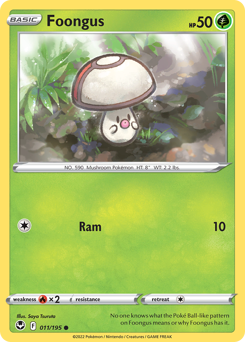
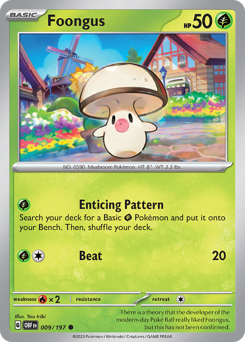
How to Evolve Foongus
To evolve  Foongus into
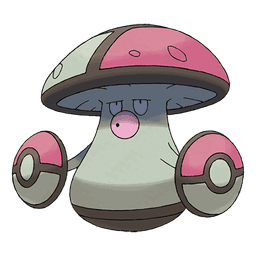
  Amoonguss, you must raise it to level 39. No evolution stones, trading, or specific times of day are required. You can gain experience through standard battles, using Rare Candies, or consuming EXP Candies. Ensure you level it up in a standard battle or menu, as Auto-Battling will not trigger the evolution screen.
The Essentials: Foongus Evolution Requirements
- Target: Amoonguss
- Method: Reach Level 39
- Item Required: None (Rare Candies or EXP Candies recommended for speed)
- Hold Item: Ensure no Everstone is equipped
Unlike many Grass or Poison types, Foongus relies on a straightforward leveling curve. You do not need a Leaf Stone or high friendship. The process remains consistent across generations, though modern games introduce specific menu mechanics and roadblocks.
Preparing for Evolution: Catching and Leveling Curves
Before you can evolve Foongus, you need to secure one at a level that makes the grind efficient. Foongus levels up using the Medium Fast experience group. It requires exactly 1,000,000 EXP points to reach level 100, meaning the journey to level 39 is relatively brief.
In Pokémon Scarlet and Violet, you can catch Foongus in the Tagtree Thicket or West Province (Area Three) between levels 20 and 28. This leaves a manageable gap of 11 to 19 levels before evolution. If you catch a Foongus that is already level 39 or higher in the wild, you do not need to panic.
Simply level it up one single time via battle or candy. The evolution sequence will trigger immediately after that level-up completes. There is no penalty for catching an over-leveled specimen.
Evolving Foongus in Pokémon Legends: Z-A
In Pokémon Legends: Z-A, the evolution process retains the manual trigger system seen in previous Legends titles. Reaching level 39 is only the first step.
- Catch a Foongus within the Lumiose City urban biomes or surrounding areas.
- Gain experience by catching other Pokémon, completing research tasks, or battling trainers.
- Once Foongus reaches level 39, its Poké Ball icon will flash in your party menu.
- Open the satchel menu, select Foongus, and press the designated button to manually initiate the evolution.
If you cancel the animation, you can restart it at any time from the menu. There is no penalty for delaying the evolution while you complete specific Pokédex tasks.
Pokémon Scarlet and Violet: Leveling to 39
In the Paldea region, reaching level 39 is standard, but the open-world mechanics introduce specific quirks. Farming Tera Raids is the fastest method to bypass the grind entirely.
- Participate in 3-star or 4-star Tera Raids to farm EXP Candy M and EXP Candy L.
- Open your bag and feed the candies to Foongus until it hits level 39.
- If leveling via combat, engage in a traditional turn-based battle against wild Pokémon in the Tagtree Thicket.
- Watch the evolution screen trigger immediately after the battle concludes.
Do not rely on the Let's Go feature for the final level. Auto-Battling will bypass the evolution trigger completely, forcing you to gain another level.
Pokémon GO Evolution Mechanics
The mobile experience completely ignores traditional leveling. You will need to gather resources specific to the Foongus family to trigger the change.
- Collect exactly 50 Foongus Candy.
- Tap on Foongus in your Pokémon storage menu.
- Press the Evolve button to spend the candy and receive Amoonguss.
To accelerate candy collection, use Pinap Berries during every Foongus encounter. You can also assign it as your Buddy Pokémon to earn candy passively while walking.
Troubleshooting: Why Won't Foongus Evolve?
Players frequently encounter roadblocks when trying to evolve Foongus, especially in modern titles. Here are the most common issues and how to fix them directly.
The Auto-Battle Block
In Pokémon Scarlet and Violet, if Foongus reaches level 39 while using the Let's Go Auto-Battle feature, it will not evolve. The game suppresses the evolution screen to maintain open-world flow. To fix this, simply feed it one Rare Candy or level it up once more in a standard, turn-based battle.
The Everstone Trap
If you received Foongus via trade, check its held item. An equipped Everstone halts all level-based evolutions. Remove the item from your bag menu and level Foongus up one more time to trigger the evolution sequence.
Missed Menu Triggers
In Pokémon Legends: Z-A, Pokémon do not evolve automatically after battles. If Foongus is level 45 and still hasn't evolved, you simply need to open your satchel, select the Pokémon, and manually choose the Evolve option.
Competitive Verdict: Should You Evolve Foongus?
Before rushing to get an Amoonguss, consider the Little Cup (LC) format. Evolving Foongus permanently removes it from this tier, where it currently boasts a massive 33.9% usage rate. It operates as a premier defensive pivot and status spreader.
The LC Wall Profile
Foongus relies heavily on the regenerator ability, allowing it to switch in, absorb hits, and heal upon switching out. While effectspore exists, it is vastly inferior for competitive pivoting. Equipped with an eviolite, its bulk becomes exceptional, allowing it to wall numerous physical attackers.
Its moveset dictates the pace of the match. spore guarantees a sleep condition on non-Grass targets, while sludgebomb and gigadrain provide reliable STAB damage. For utility, synthesis offers burst healing, clearsmog erases enemy setup sweeps, and foulplay punishes physical attackers. You will occasionally see toxic or leafstorm for specific matchups. While defensive sets dominate, a surprise choicescarf set can catch opponents off guard, allowing Foongus to outspeed and land a crucial Spore before taking a hit.
Synergy and Threats
Foongus thrives alongside partners that cover its weaknesses.  Mienfoo and
  Vullaby form incredible Regenerator cores with it. Ground types like
  Mudbray and Sandshrew-Alola handle Poison and Fire threats, while
  Chinchou absorbs Flying and Ice attacks.
However, it is not invincible. Fire-types like  Numel and
  Salandit melt through its defenses. Flying threats such as
  Drifloon and opposing Vullaby force it out immediately. Furthermore, Growlithe-Hisui and
  Stunky can trap or overpower it before it can utilize Regenerator. Alternative items like ejectbutton, shedshell, or rockyhelmet can mitigate some trapping or physical pressure, but require sacrificing the raw bulk of Eviolite.
EVOLUTION CHAIN
SPRITE GALLERY
 OFFICIAL ARTWORK
 OFFICIAL SHINY
 HOME 3D
 HOME 3D SHINY
 FRONT
FRONT FRONT SHINY
 BACK
BACK BACK SHINY
 ANIMATED
 ANIMATED SHINY
Related Pokémon guides
Competitive Resources
Frequently Asked Questions
Can Foongus evolve through Auto-Battling in Scarlet and Violet?
No, leveling up via the Let's Go Auto-Battle feature prevents the evolution screen from appearing. If your Foongus hits level 39 this way, you must feed it a Rare Candy or level it up again in a standard turn-based battle to trigger the evolution.
How do you evolve Foongus in Pokémon Legends: Z-A?
Once Foongus reaches level 39, the evolution does not happen automatically. You must open your party menu, select Foongus, and manually press the evolve button. Gaining experience by catching other Pokémon in Lumiose City counts toward this level requirement.
What level does Foongus evolve into Amoonguss?
Foongus evolves exactly at level 39 across all mainline games. If you catch a wild Foongus that is already level 39 or higher, you simply need to level it up one more time using a candy or battle experience to initiate the evolution.
How many candies does Foongus need to evolve in Pokémon GO?
You need exactly 50 Foongus Candy to evolve it in Pokémon GO. You can speed up this process by using Pinap Berries during wild encounters, transferring duplicate Foongus to the Professor, or walking with Foongus as your designated Buddy Pokémon.